AI photo editing has completely changed how people create and improve images. In 2026, you don’t need advanced skills or expensive setups to make professional-looking photos. With AI tools, everything from background removal to face enhancement and image generation can be done in seconds.
But with so many tools available, beginners often get confused:
???? Which tool should I use?
???? Free or paid—what is better?
???? Which one is easiest for beginners?
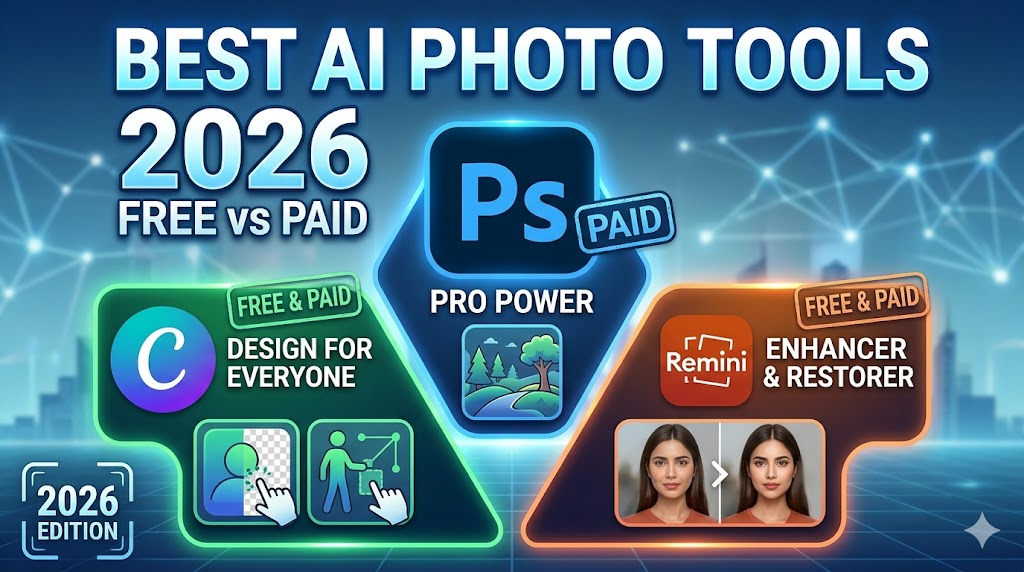
In this article, we will compare the most popular AI photo editing tools like Adobe Photoshop, Canva, and Remini, along with their pros, cons, and best use cases.
???? 1. Adobe Photoshop (Paid – Professional AI Editing Tool)
Adobe Photoshop is the most powerful and industry-standard photo editing software used by professionals worldwide. In 2026, Photoshop is no longer just manual editing software—it now includes advanced AI features like Generative Fill, object removal, and smart background editing.
???? Description:
Photoshop is designed for deep, professional-level editing. It allows users to control every detail of an image using layers, masks, filters, and AI tools. It is widely used in photography, advertising, graphic design, and digital art industries.
⭐ Pros:
- Extremely advanced AI editing tools (Generative Fill, smart cutout, object removal)
- Full creative control over every pixel
- Supports high-resolution and RAW image editing
- Best quality output for commercial use
- Trusted by professionals worldwide
❌ Cons:
- Paid subscription is expensive
- Difficult learning curve for beginners
- Requires powerful system for smooth performance
???? Best For:
Professional photographers, designers, agencies, and advanced creators who need full control and top-quality output.
???? 2. Canva (Free + Paid – Beginner-Friendly AI Design Tool)
Canva is one of the most popular AI-powered design and photo editing platforms in the world. It is widely used by beginners, bloggers, YouTubers, and social media creators because of its simplicity.
???? Description:
Canva is an online design tool that allows users to create and edit images using drag-and-drop features. It includes AI tools like Magic Edit, Background Remover, and text-to-image generation, making it extremely powerful for non-designers.
⭐ Pros:
- Very easy to use (no technical skills required)
- Thousands of ready-made templates
- AI tools like background remover and smart editing
- Perfect for social media posts, thumbnails, and banners
- Works directly in browser (no installation needed)
❌ Cons:
- Some AI features are locked behind paid version
- Limited precision compared to Photoshop
- Not ideal for heavy professional editing
???? Best For:
Beginners, bloggers, content creators, and social media users who want fast and easy editing.
???? 3. Remini (Free + Paid – AI Photo Enhancement App)
Remini is a powerful AI-based photo enhancement app mainly used for improving image quality, especially portraits and old photos.
???? Description:
Remini uses advanced AI algorithms to restore blurry, low-quality, or old images. It focuses mainly on face enhancement and detail improvement, making photos look sharper and more realistic.
⭐ Pros:
- Excellent for restoring old or blurry photos
- Enhances facial details automatically
- Very fast and mobile-friendly
- Simple one-click editing system
- Great for selfies and portraits
❌ Cons:
- Sometimes over-enhances faces (unnatural look)
- Limited editing options beyond enhancement
- Free version has ads and daily limits
???? Best For:
Users who want to fix old photos, improve selfies, or quickly enhance image quality on mobile.
???? 4. Free vs Paid AI Tools – Full Comparison
???? Description:
Free and paid AI tools both have their advantages. The right choice depends on your goals—whether you are a beginner learning editing or a professional creating commercial content.
| Feature | Free AI Tools | Paid AI Tools |
|---|---|---|
| Image Quality | Medium | High / Professional |
| Features | Basic editing tools | Advanced AI features |
| Watermark | Sometimes present | No watermark |
| Speed | Good | Faster and optimized |
| Customization | Limited control | Full creative control |
| Best For | Beginners & casual users | Professionals & businesses |
???? In simple terms:
- Free tools = Easy learning + basic editing
- Paid tools = Professional quality + full control
⚡ 5. Other Popular AI Photo Editing Tools (2026)
Apart from Photoshop, Canva, and Remini, there are many other AI tools that are becoming popular:
✂️ AI Background Removers:
These tools automatically remove backgrounds from images in seconds. They are widely used for product photography, YouTube thumbnails, and profile pictures.
???? AI Image Generators:
These tools create images from text prompts. You simply type what you want, and AI generates it. For example:
“A cinematic sunset over mountains with a futuristic city”
???? AI Enhancers:
These tools improve image resolution, fix blur, and enhance details, making low-quality photos look professional.
Many modern platforms now combine all these features into one tool, making AI editing even more powerful and beginner-friendly.
???? Which AI Tool Should You Choose?
Here’s a simple guide based on your needs:
???? If You Are a Beginner:
???? Use Canva
✔ Easy interface
✔ Free templates
✔ No learning required
???? If You Use Mobile Only:
???? Use Remini
✔ Best for selfies
✔ Great for old photo restoration
???? If You Are a Professional:
???? Use Adobe Photoshop
✔ Full creative control
✔ Best quality output
✔ Industry standard tool
???? Final Thoughts
AI photo editing in 2026 has made creativity easier than ever. Whether you are a beginner or a professional, there is a tool for everyone.
- Free tools are perfect for learning and quick edits
- Paid tools are best for professional work and business use
- AI saves time, boosts creativity, and improves content quality
???? The smartest approach is to start with free tools, learn the basics, and upgrade when needed.